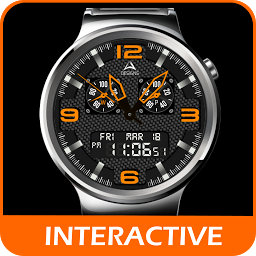
Quantum Watch
by AN Watch Designs
Hybrid Watch face for watchmaker

Quantum Watch
Attention!
This watch face is protected and is not intended for self-editing.
Buying this watch face, you agree to the condition.------------------------------------------------------------------------Installation Steps--------------------------1.
Install on your phone WatchMaker Premium: http://goo.gl/FMxUfY3.
Download the watch face from Google Play and Install it to your phone4.
This watch face will appear automatically on the tab "MY WATCHES" of WatchMaker Premium program5.
Select Quantum watch face6.
Set the watch face on your watch, by clicking on the green button "SET WATCH FACE"7.
Ready to go!Enjoy watchingIf you like the watch face please rate it 5 stars and check out the full collection on: https://goo.gl/xPsn18 LETS HOOK UPFacebook: https://www.facebook.com/GraphicdesignsAN/
Social Features
Connect and share with friends and the community.
Gaming Features
Enjoy immersive gaming experience with various game modes.
Weather Features
Get accurate weather forecasts and real-time updates.
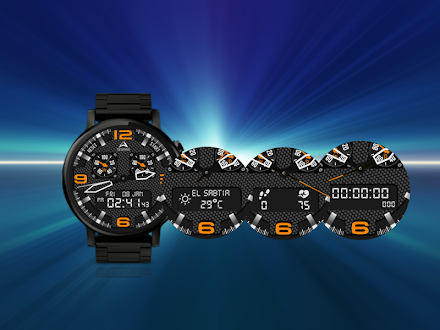
See Quantum Watch in Action


What Our Users Say
Don't just take our word for it. Here's what our users have to say about this Android app.
"Not sure"
"This face has a bit of issue, it displays the wrong time when set."
"Great watch face. I love the customization options and information displayed. My battery life seems to be way better with this face too. Took the watch off the charger at 7am and it's 2pm right now with 78% battery left at moderate usage."
"Nice looking, but causes sluggish operation of all other watch apps and functions. Had to uninstall..."
"Loved the watch face, but wanted weather, asked, and he added it! Thrilled!"
"perfect"
Get the App Today

Available for Android 8.0 and above
Ask AI about this app
Get instant answers about features, tips and more from popular AI assistants.